
Free, with no exceptions
No in-app purchases, no subscription, no feature reserved for a paid version. And no advertising.
One tap opens the attack, one tap closes it. Everything else is optional: the details go in whenever it suits best, during the attack, right after it or days later.
Coming soon to Google Play.
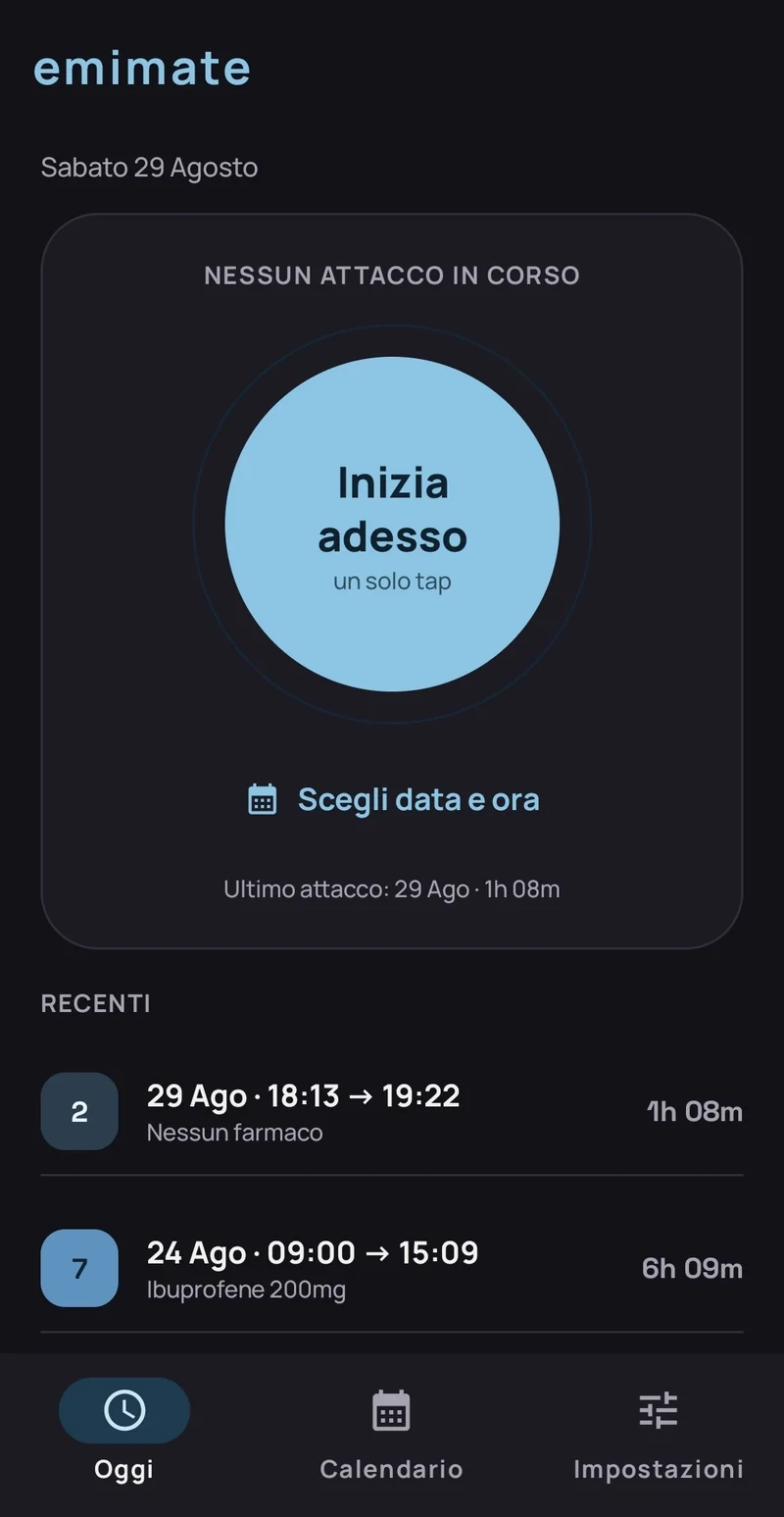
Emimate comes from someone who lives with headaches. During an attack, filling in a long form is the last thing anyone manages to do, and a diary that asks for too many steps ends up empty. Emimate asks for one gesture, and waits.
Simplicity
The main screen has a single button: press it when the attack begins and press it again when it has passed. From that moment the attack is recorded, and no field is required.
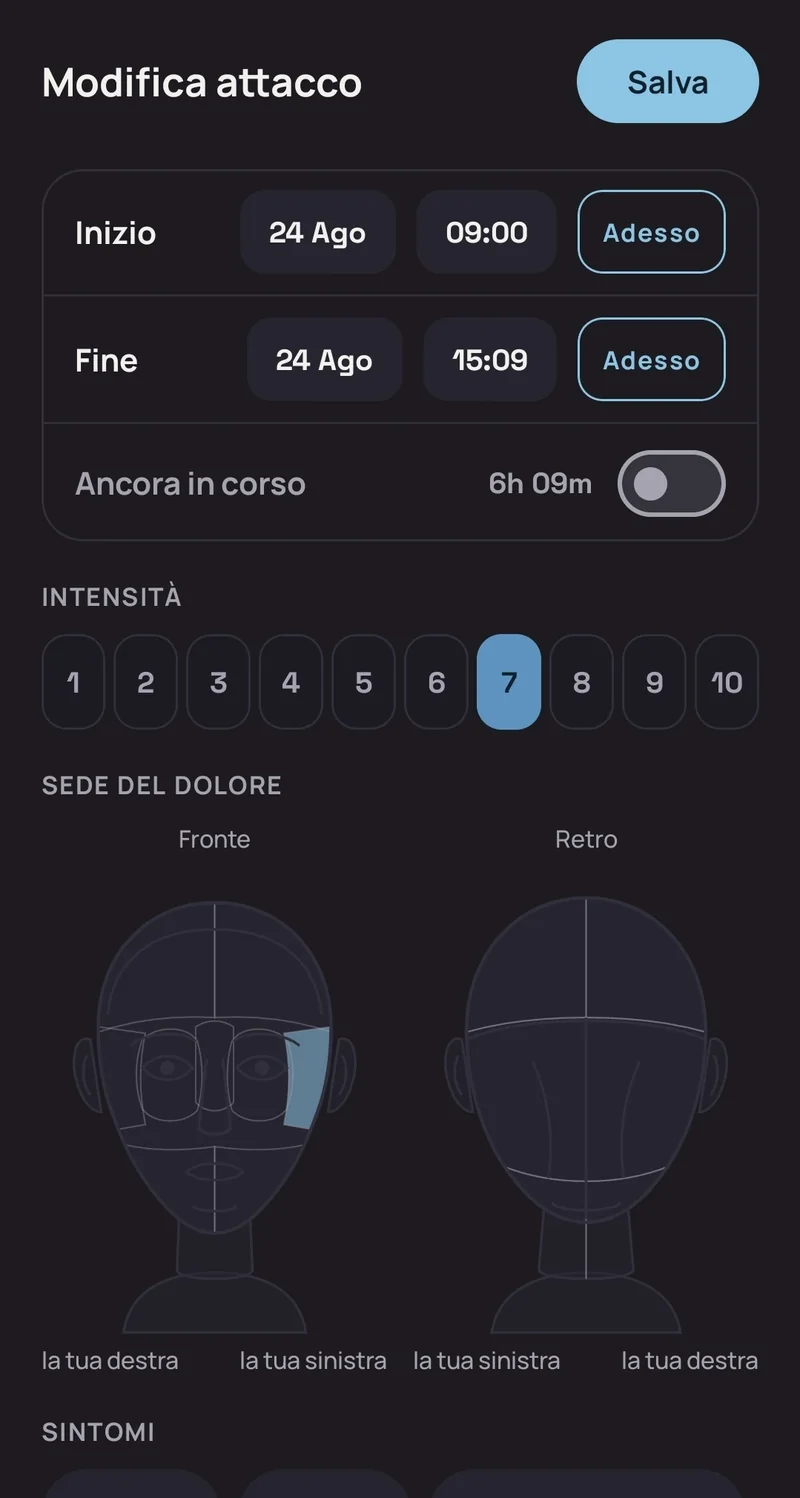
Pain location
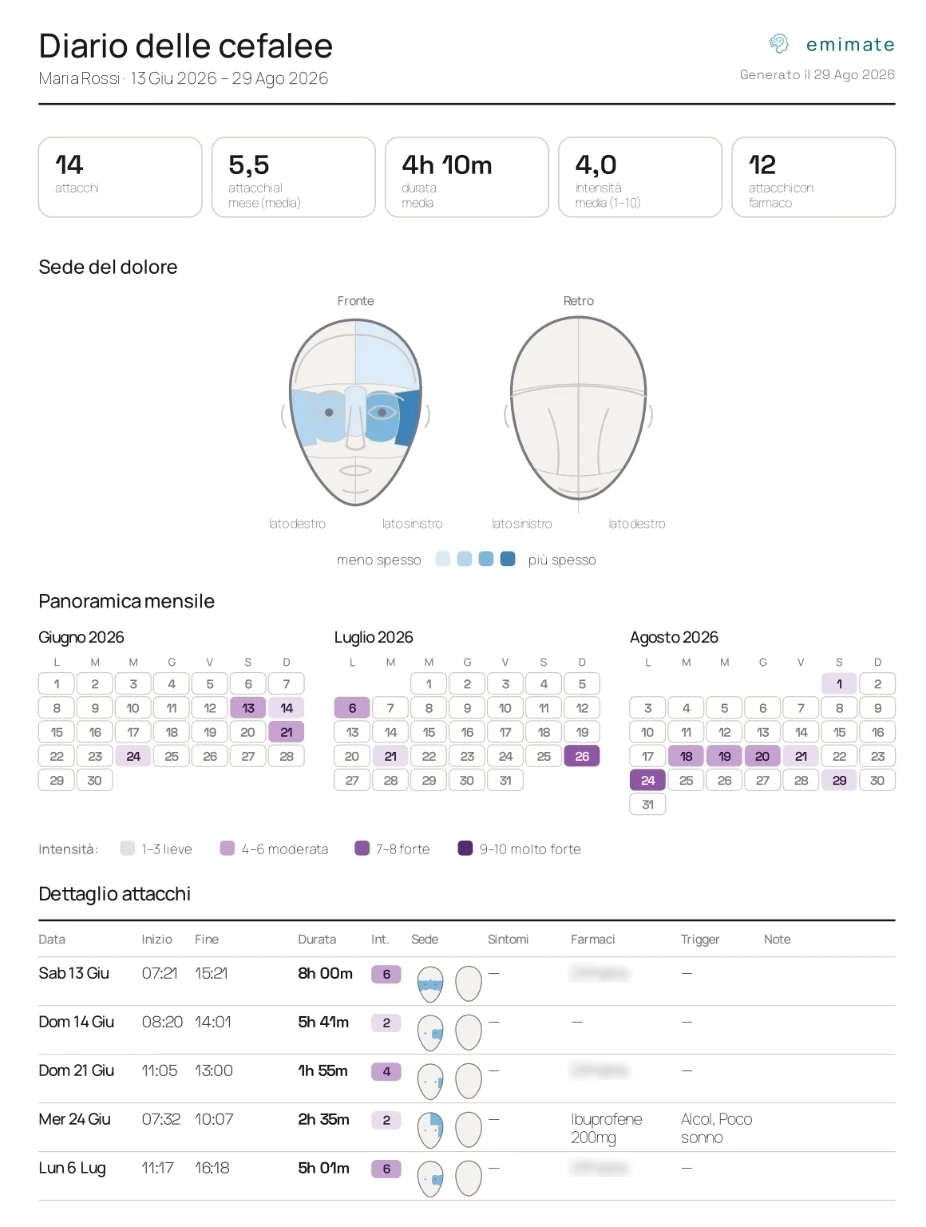
Fifteen areas, front and back. Left and right are the ones of the person marking them, not the screen's. The areas go into the report and the export along with everything else, and the report sums them up on a pair of face diagrams, with the areas shaded darker where the pain came back most.
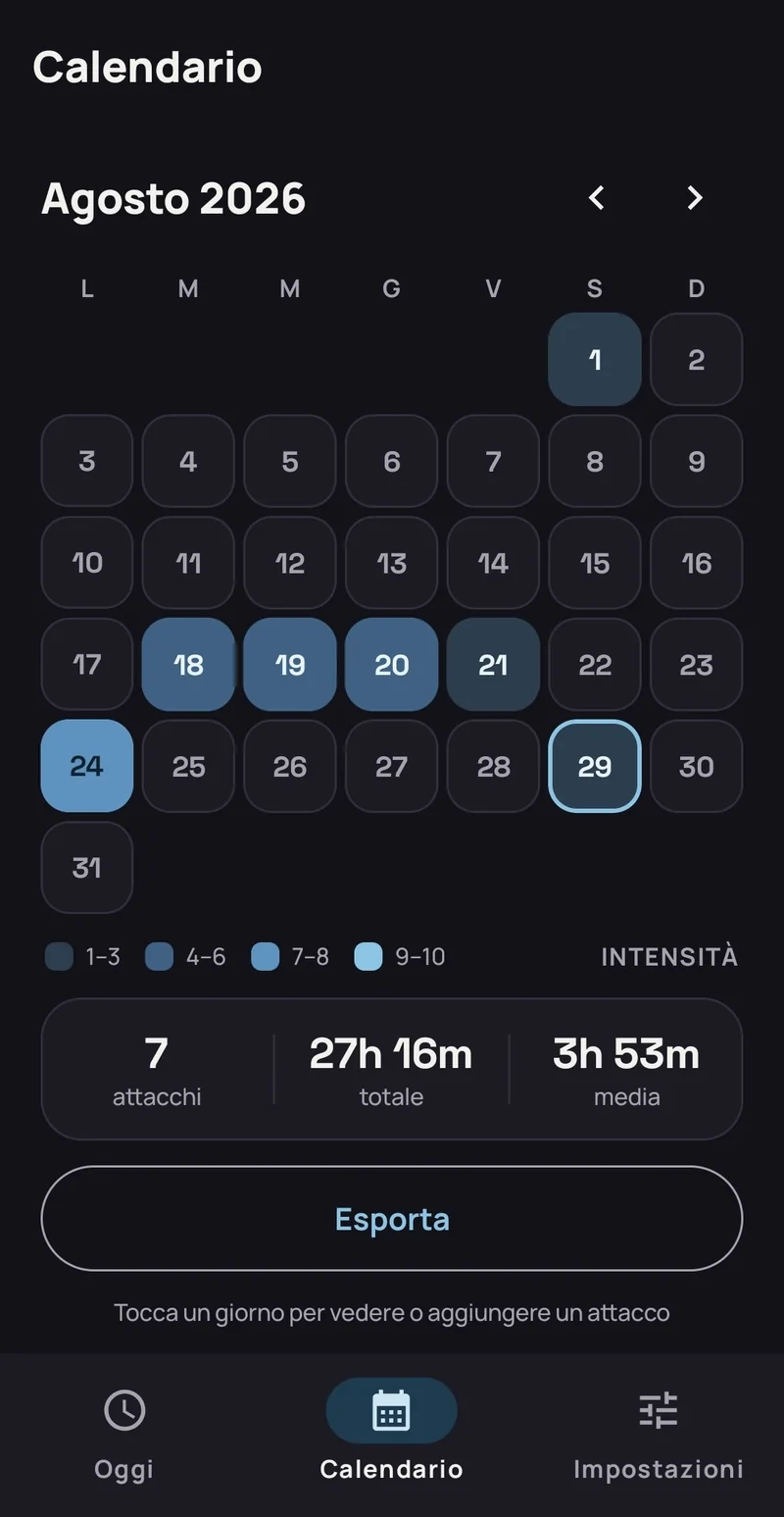
History
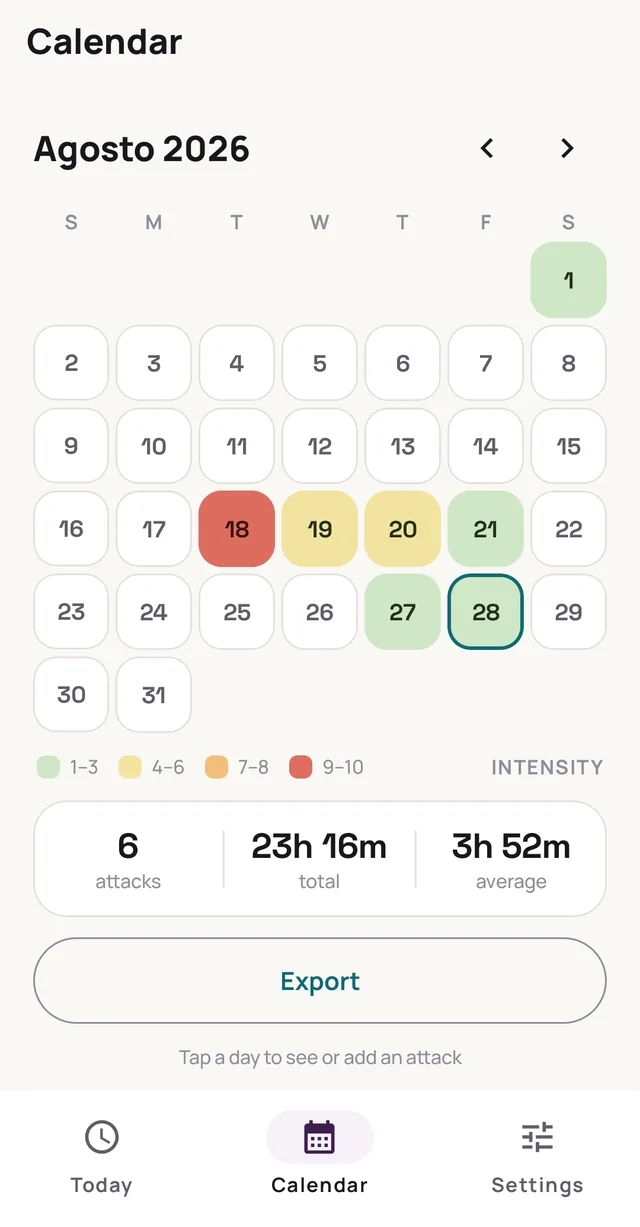
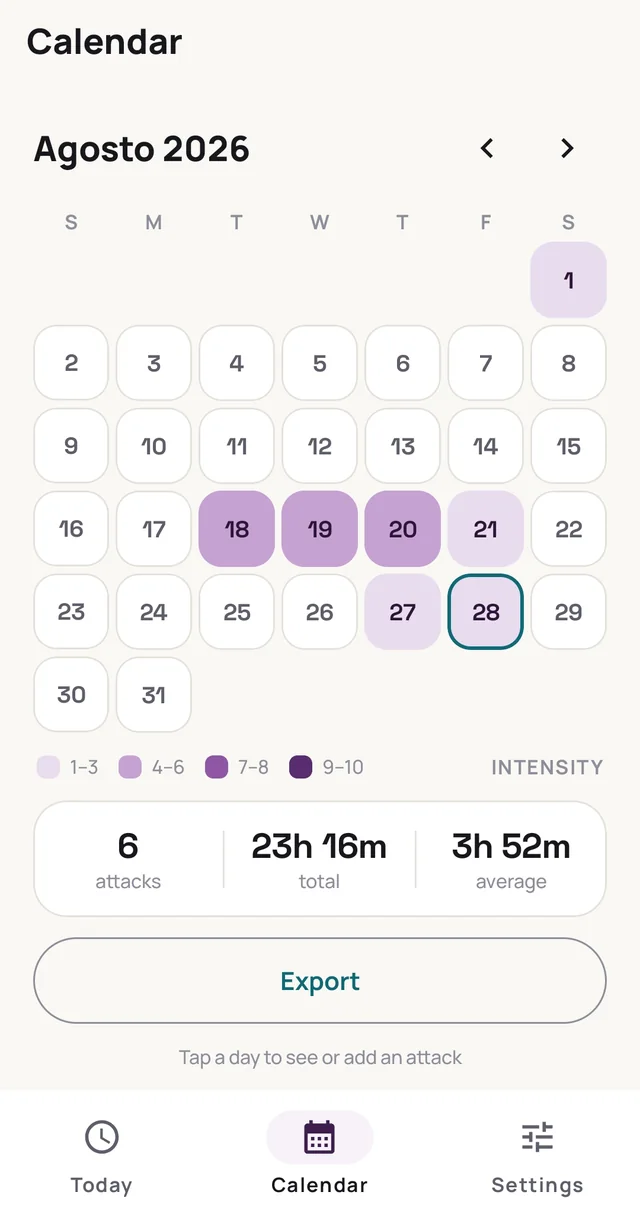
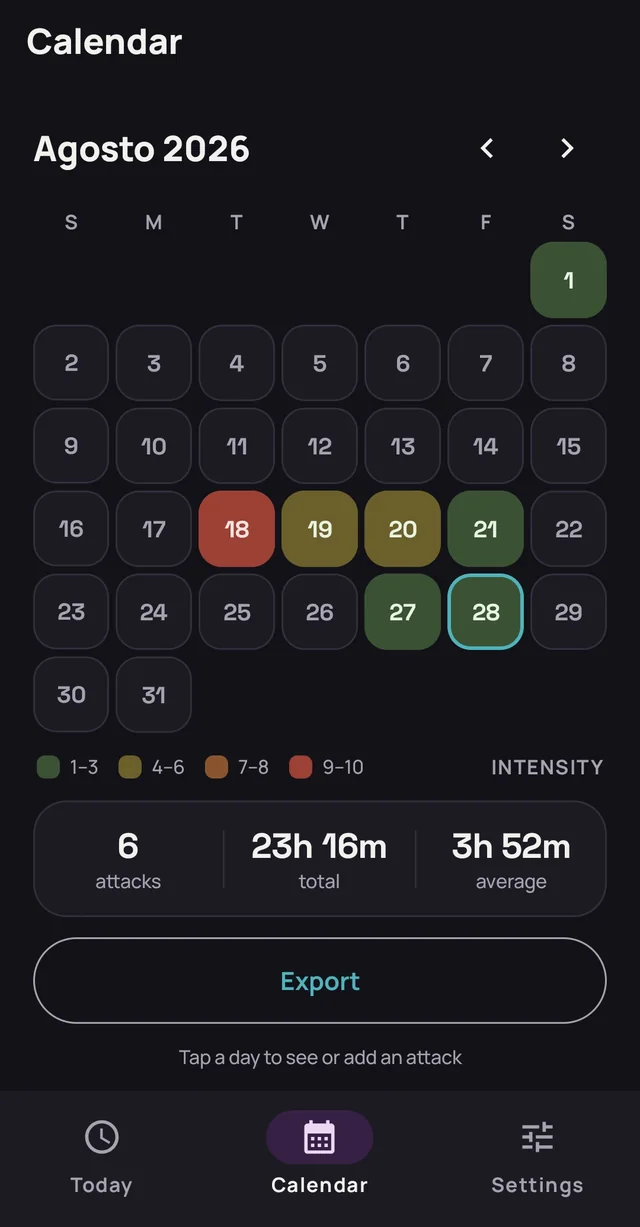
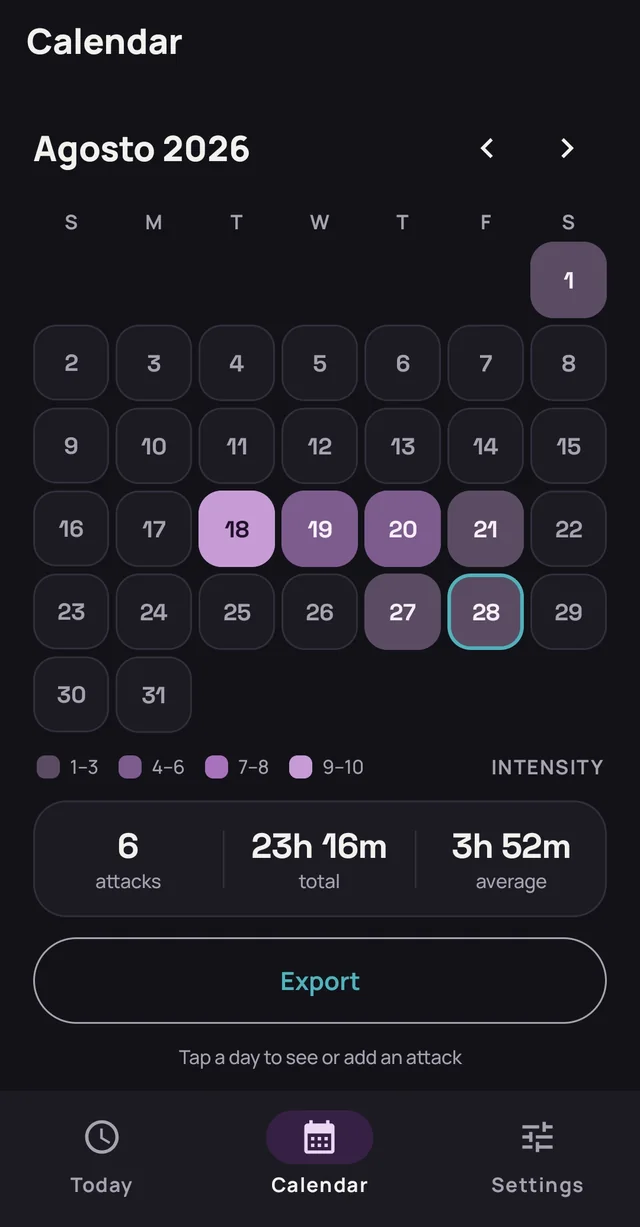
Every attack stays recorded with its times, duration and intensity. The calendar shades the days by intensity and sums the month up in three figures: how many attacks, how many hours in total and how long they lasted on average.
Themes and colours
A light theme, a dark theme or the system's own, and several colour scales for intensity. During an attack the dark theme is the one many people prefer, when light is hard to bear.
Report
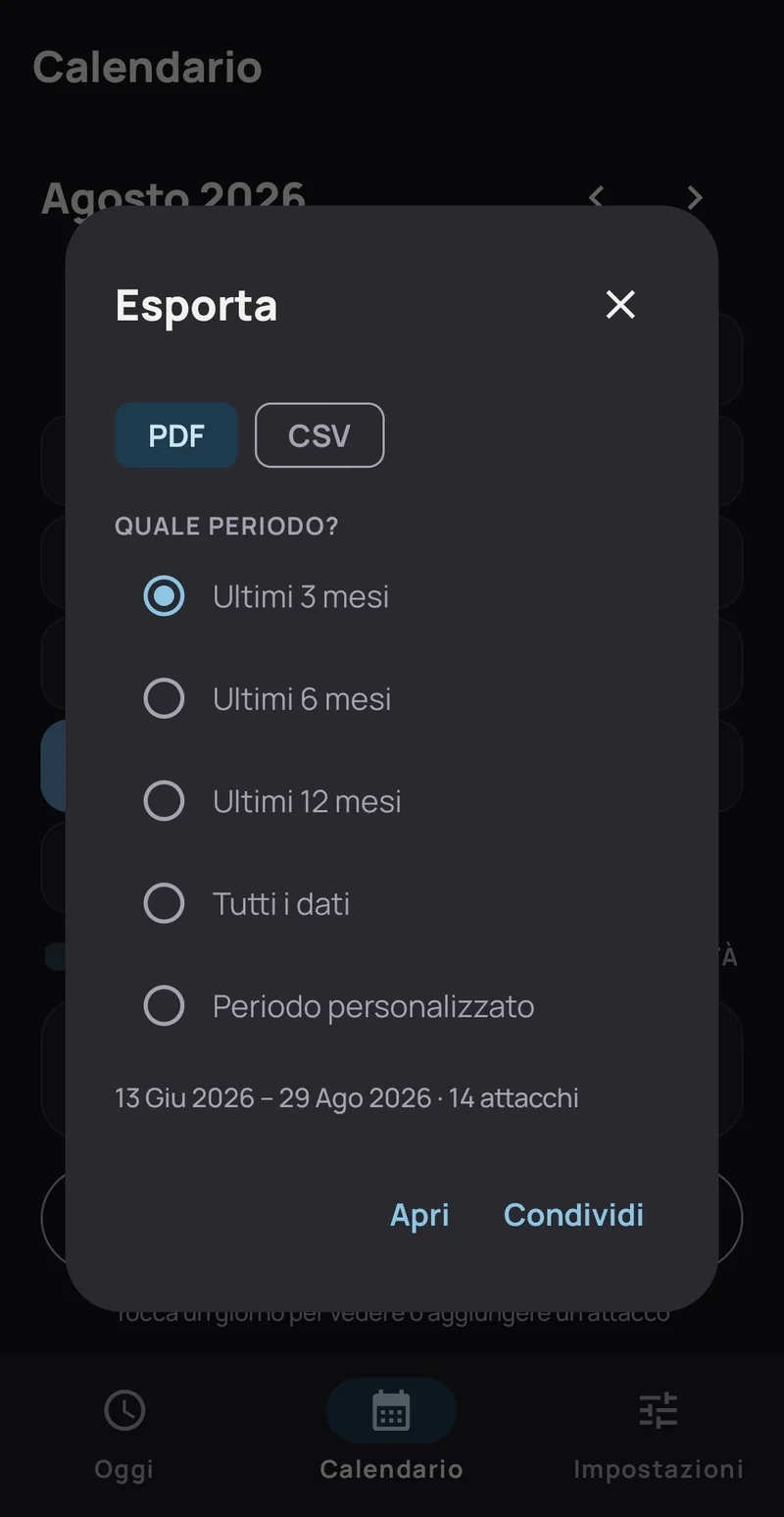
The PDF export is not a list of data: it is a laid-out A4 page, with a header, summary figures, a calendar month by month, the pain location and the full table of attacks with times, duration, symptoms, medications, triggers and notes.
Emimate does not request permission to access the internet, and anyone can verify that in the app's permission list. There is no server to send anything to: no cloud, no usage statistics, no automatic backup to online services.
The diary stays on the phone. To move to a new phone, export the whole diary to a CSV file and read it back when you need it.
No in-app purchases, no subscription, no feature reserved for a paid version. And no advertising.
The interface and the report in Italian, English, French, Spanish and German, with the language switch inside the app.